Temu has become one of the most popular online shopping platforms for affordable products, but creating a new account often requires phone verification. In 2026, Temu continues to use SMS verification during sign-up to confirm identity and prevent fraud. If you need an extra account for privacy, testing, business, multiple shopping profiles, or you’ve reached limits on personal numbers, you can easily create one without using your real phone number.
The straightforward solution uses a temporary USA phone number from VerifySMS. Sign up for free, deposit as little as $10, and buy a dedicated number for just $0.50 per Temu account. The verification code remains active for a full 15 minutes, giving you plenty of time to finish registration. Most users complete the entire setup in under ten minutes.
VerifySMS provides real non-VoIP USA phone numbers that work reliably with Temu. This guide walks you through every step so you can create your new Temu account today without sharing your personal phone number.
Why You Might Need a Temu Account Without a Phone Number
Many shoppers want multiple Temu accounts to separate personal shopping, family use, or business reselling. Others encounter verification blocks after creating several accounts on the same number. Privacy concerns are also common—especially when avoiding linking your main mobile to every e-commerce site. Free temporary number sites often fail because Temu quickly detects and blocks VoIP or recycled numbers. VerifySMS solves this with premium USA numbers that pass verification consistently. Once set up, your new account supports full shopping, orders, payments, and all standard features.
Step 1: Create Your Free Account on VerifySMS
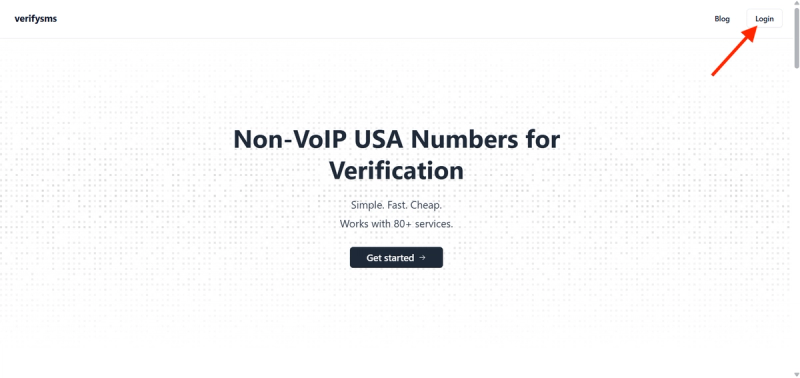
Open your browser and go to https://verifysms.io/. Click the “Get Started” or sign-up button. The form requires only a valid email address and a strong password—no extra personal details.
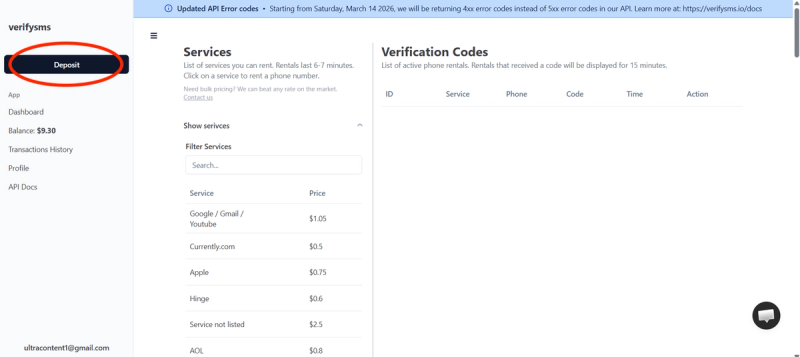
After confirming your email, you’ll land on the dashboard. Click “Add Funds” or “Deposit” and add as little as $10 using a card, crypto, or supported e-wallets. Funds appear instantly with no hidden fees.
This small balance covers multiple Temu accounts since each number costs only $0.50. You’re now ready to buy your temporary USA phone number.
Step 2: Buy a Temporary USA Phone Number for Temu
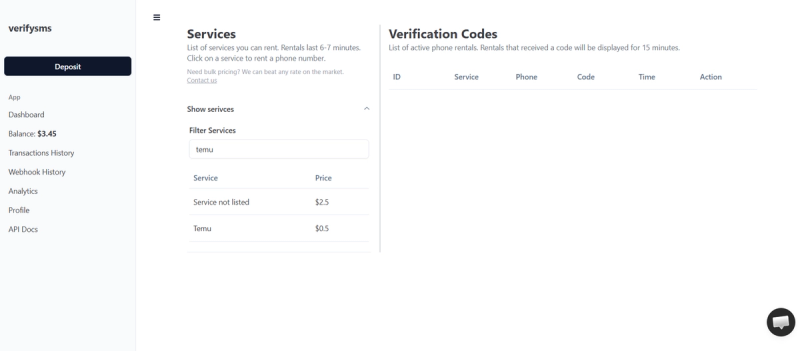
On the dashboard, click “Buy Number” or navigate to the Services section. Search for “Temu” in the list of supported platforms. The price is clearly shown as $0.50. VerifySMS supplies genuine non-VoIP USA numbers, which deliver high success rates with Temu.
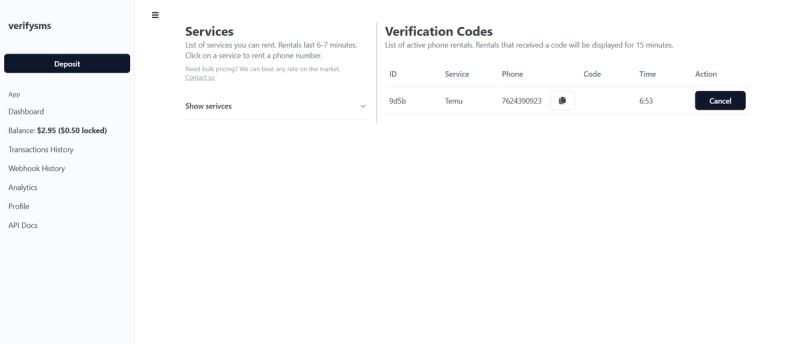
Select the service, complete the purchase, and the number appears within seconds. Copy it right away for the Temu sign-up. For multiple accounts, buy several numbers at once. All numbers stay neatly organized in your dashboard.
Step 3: Start Creating Your Temu Account
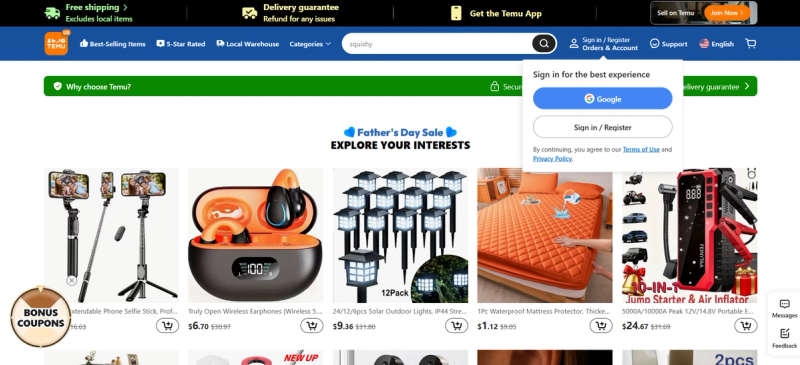
Download the Temu app from the App Store or Google Play, or visit temu.com and begin registration.
Choose to sign up with a phone number.
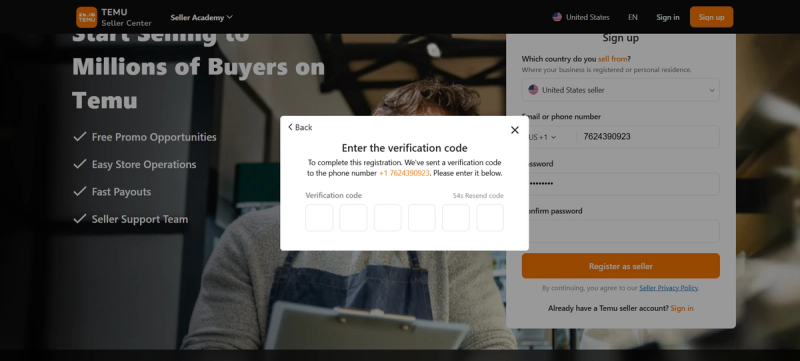
Select USA (+1) as the country code and paste the temporary USA number from VerifySMS. Double-check the format to avoid errors.
Provide your email address (use a fresh one for better separation) and create a strong password.
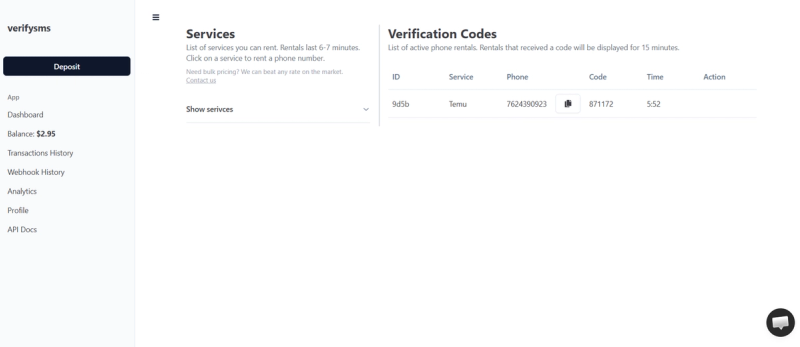
Temu will send a verification code via SMS to the number. Switch back to your VerifySMS dashboard, refresh if needed, and find the code in the verification section. You have 15 minutes to use it—delivery is typically instant.
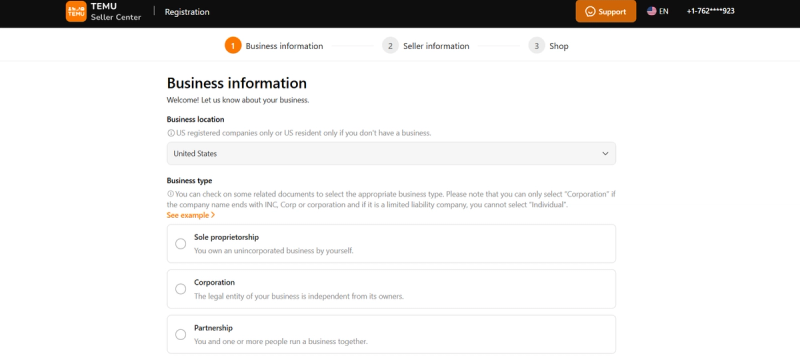
Enter the code in the Temu app or website to complete phone verification.
Step 4: Complete Your Temu Account Setup
After phone verification, Temu may ask for additional details like your name, address, or preferred payment method. You can add a credit/debit card or other payment options later. Once finished, your new account becomes fully active for browsing, shopping, and placing orders.
The temporary number has done its job, keeping your personal phone private. To create more accounts, return to VerifySMS, buy another number for $0.50, and repeat the process.
Step 5: Quick Tips to Keep Your Temu Account Smooth
- Review security settings after setup and enable any available protections.
- Add a recovery email for easier account management.
- Use unique passwords for each account to maintain security.
- For frequent shoppers, consider multiple profiles to manage different orders or wish lists.
Practical Advice for Multiple Accounts and Privacy
Creating several Temu accounts helps with testing deals, separating purchases, or business needs. VerifySMS supports this perfectly—you can purchase as many USA numbers as needed from the same dashboard at just $0.50 each.
Always use strong, unique passwords and distinct emails. Developers and power users can take advantage of VerifySMS’s API for bulk account creation.
Why VerifySMS Works Better Than Free Options
Free temporary number services are often blocked by Temu because they rely on detectable VoIP or shared numbers. VerifySMS uses premium, real non-VoIP USA numbers that behave like legitimate mobile lines, ensuring consistently high success rates for Temu and other platforms like WeChat, PayPal, and Uber. The clean, beginner-friendly dashboard makes the process fast and simple.
Final Thoughts
Setting up a Temu account without a phone number is simple and affordable with VerifySMS. Get reliable USA numbers for just $0.50 each, complete verification quickly, and start shopping without compromising your personal number.
Visit https://verifysms.io/ today, create your free account, deposit $10, and buy your first number. In under ten minutes, you’ll have a fully functional Temu account ready to use. No real phone number. No hassle. Just a clean, reliable solution that works every time.