TikTok has taken the world by storm, becoming one of the most popular platforms for short-form video content, creativity, and social engagement. Whether you want to build a personal brand, grow a business presence, test content ideas, or simply enjoy the app privately, the sign-up process often requires a phone number for verification.
For many users, sharing a real phone number raises privacy concerns, especially for multiple profiles or to maintain anonymity. The good news is you can easily create a TikTok account without using your personal number by using a temporary USA-based virtual phone number.
The most reliable and affordable solution is VerifySMS. You create an account, top up with as little as $10, and buy dedicated virtual numbers for TikTok. Each TikTok account costs just $0.4, and the verification code stays available for 7 minutes more than enough time to complete the process. Below is a complete step-by-step guide to help you set up your new TikTok account quickly and privately.
Why You Should Avoid Using Your Real Phone Number on TikTok
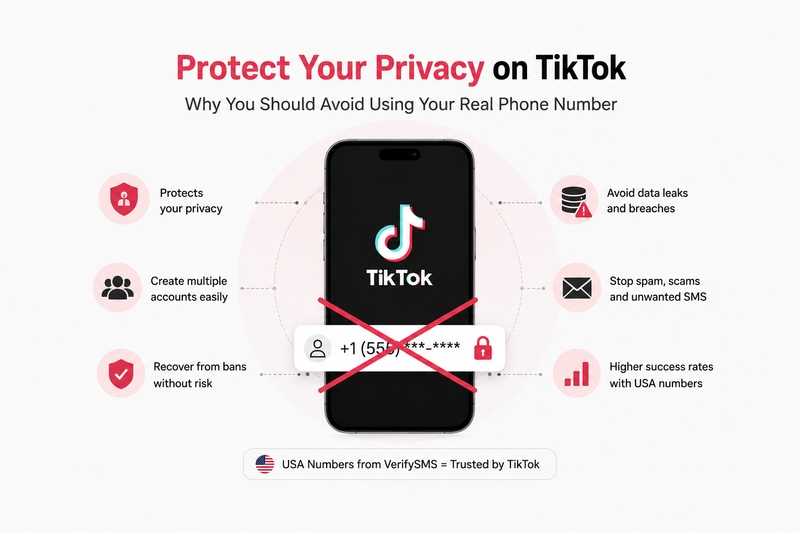
TikTok, like many social platforms, collects phone numbers for verification, security, and targeted advertising. Once shared, your number can be linked to your activity, sold in data breaches, or used for spam and phishing. Using a temporary number protects your privacy, allows multiple accounts for different niches (personal, business, testing), and helps recover from bans without risking your main line. USA-based numbers from VerifySMS offer the highest success rates because they appear legitimate to TikTok’s systems.
Step 1: Create Your Account on VerifySMS
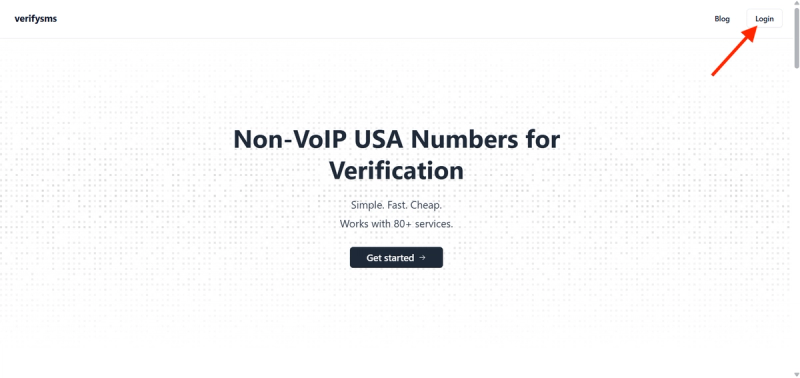
Start by opening your browser and visiting https://verifysms.io/. Click the “Get Started” or sign-up button. The registration form is simple just provide a valid email address and create a strong password. There are no complicated questions or extra personal details required. After confirming your email, you’ll land on a clean, intuitive dashboard.
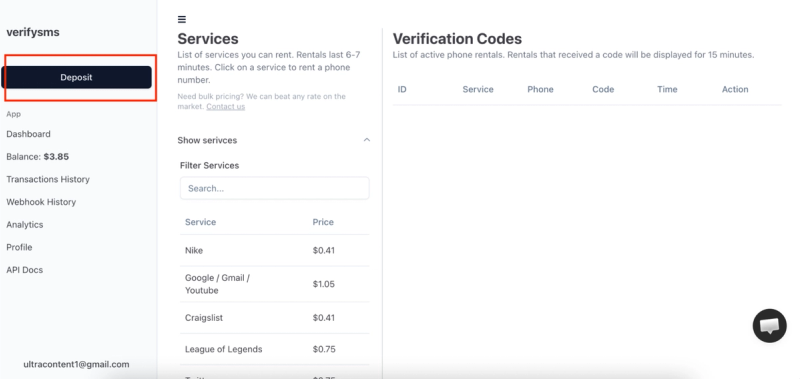
Next, add funds to your balance. Look for the “Add Funds” or “Deposit” button. You can start with as little as $10 using major credit/debit cards, cryptocurrency, or popular e-wallets. The money is credited instantly with no hidden fees. This small deposit gives you enough credit for over 25 TikTok accounts at $0.4 each, making it perfect for users who need multiple profiles.
Step 2: Buy a Temporary USA Phone Number for TikTok
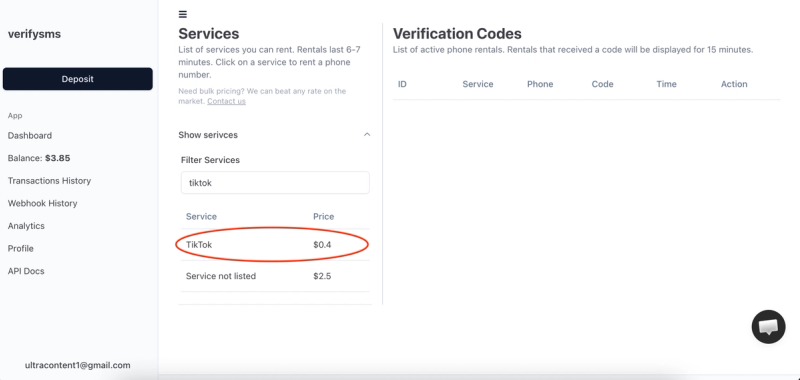
From your dashboard, click “Buy Number” or go to the “Services” section. Search for “TikTok” in the available services. The price is clearly listed at just $0.4 per number. Since VerifySMS only provides specifically USA-based phone numbers, you’ll receive a fresh +1 number optimized for high success on TikTok.
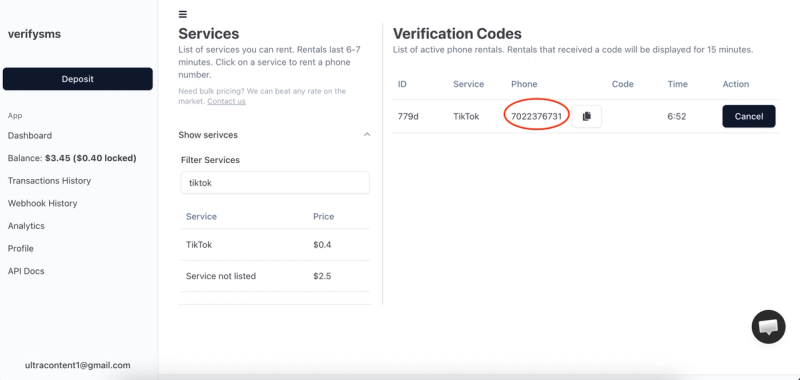
The number appears on your screen within seconds. Copy it immediately you’ll need it right away. This virtual number is designed solely for receiving incoming SMS verifications, so your privacy remains protected. If you plan to create several TikTok accounts, you can buy multiple numbers in quick succession. All purchased numbers are saved in your dashboard history for easy management.
Step 3: Start Creating Your TikTok Account
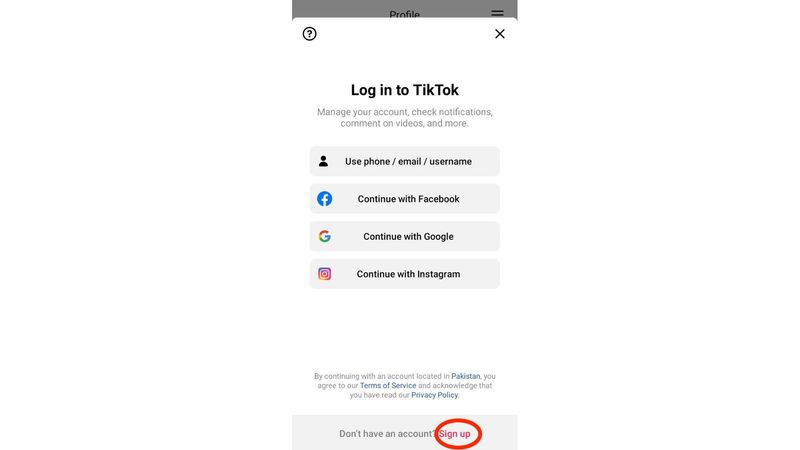
Download the TikTok app on your phone (available for Android and iOS) or use the web version. Open the app and tap “Sign Up” or “Create Account.” You can sign up using email or phone number choose the phone number option for this guide.
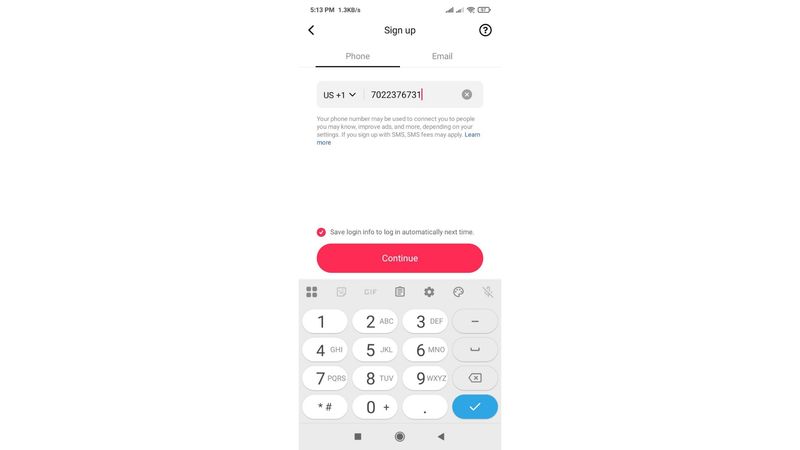
On the phone number screen, paste the temporary USA-based number you bought from VerifySMS. Make sure to include the correct country code (+1).
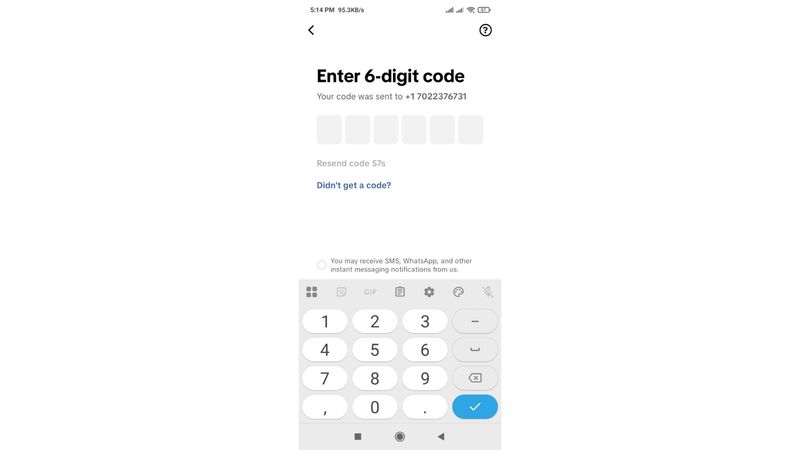
TikTok will send a six-digit verification code to that number almost immediately. Switch back to your VerifySMS dashboard at this point.
Step 4: Paste the Code and Complete Your Profile
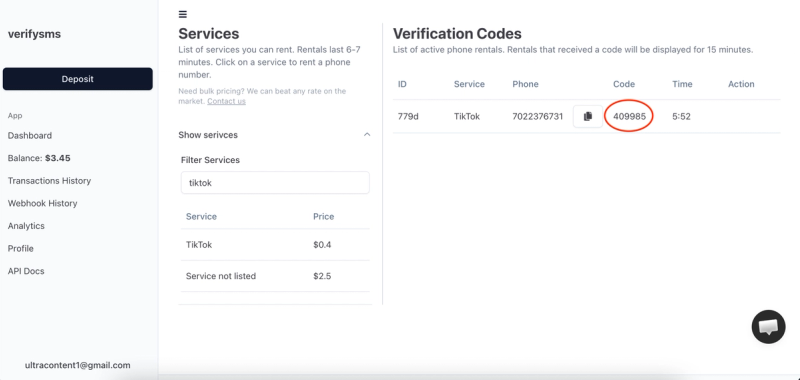
Refresh the VerifySMS page if necessary. The six-digit code will appear in the same window where you purchased the number. You have only 7 minutes to use it, so act promptly but calmly. Copy the code carefully.
Return to the TikTok app and enter the code exactly as shown. The app will confirm the verification within seconds and proceed to the next steps. Now you can customize your profile:
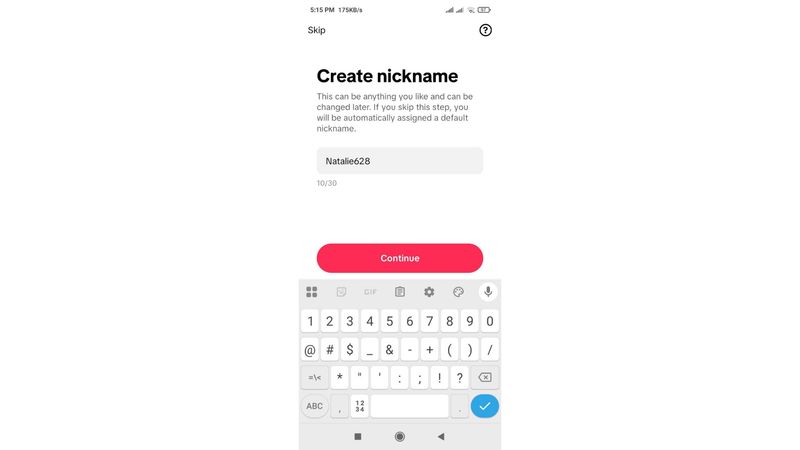
- Choose a unique username.
- Add your name or display name.
- Upload a profile picture.
- Write a short bio (optional at this stage).
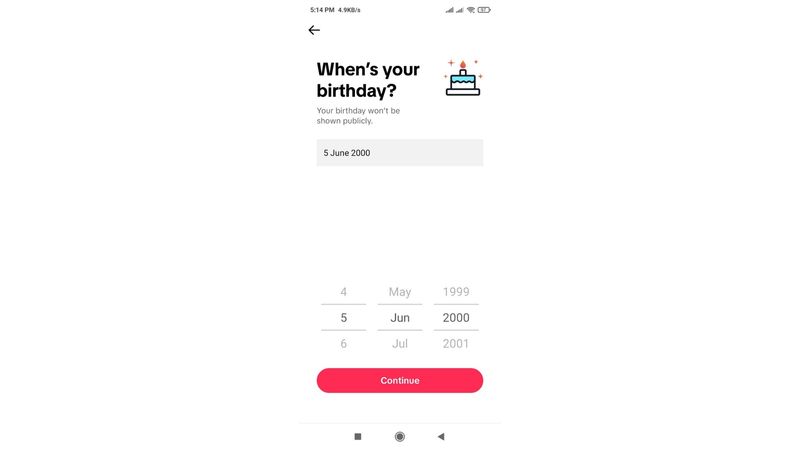
TikTok may ask for your date of birth and other basic information. Fill these in accurately. You can skip some optional steps like syncing contacts and complete them later. Once you hit “Continue” or finish the setup, your new TikTok account goes live. Congratulations — you now have a fully functional TikTok account without ever using your real phone number.
Step 5: Quick Tips to Keep Everything Smooth
After creating your account, review TikTok’s privacy settings immediately. Limit who can see your content, messages, and profile information. If you get banned in the future, simply buy another $0.4 number from VerifySMS and repeat the process. The platform keeps a full history of your numbers, making it easy to manage multiple accounts.
Most users top up $10 once and create several profiles over time. The $0.4 price remains consistent regardless of how many accounts you make. Always keep the VerifySMS tab open during sign-up so you don’t miss the 7-minute code window. For best results, use the app on a real device rather than emulators, and avoid creating too many accounts from the same IP address in a short period.
Why This Method Works Better Than Free Options
Free temporary number websites often fail on TikTok because the platform aggressively blocks recycled or low-quality numbers. Codes may not arrive, or accounts get flagged instantly. VerifySMS uses fresh, premium USA-based numbers that deliver reliable results every time. The low cost, instant delivery, and dedicated 7-minute code window make it the most efficient choice for privacy-conscious users.
Additional Benefits of Using VerifySMS for TikTok
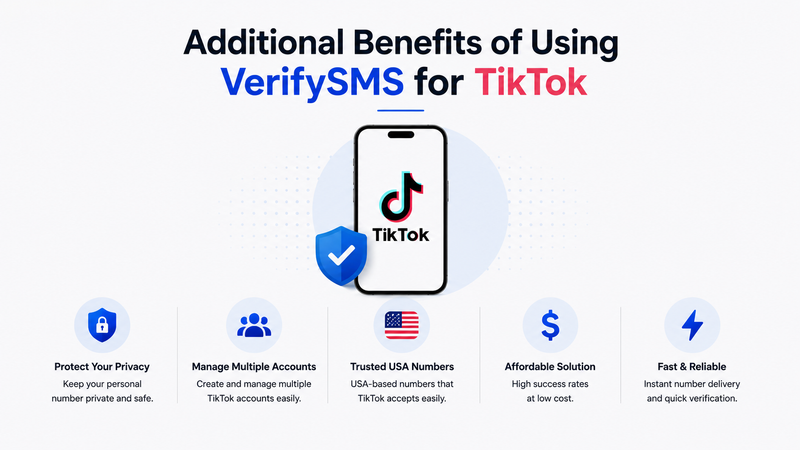
Beyond basic privacy, this approach lets you experiment with different content styles, niches, or target audiences using separate accounts. Businesses and creators can manage brand pages, testing accounts, and personal profiles without mixing data. International users benefit greatly from having trusted USA numbers that TikTok readily accepts. The entire process is secure, affordable, and puts you in full control of your digital presence.
Common Issues and How to Solve Them
If the code doesn’t arrive within a few seconds, refresh the dashboard or double-check that you entered the number correctly. In rare cases where TikTok flags a number, simply purchase a new one it only costs $0.4 and takes seconds. Always ensure a stable internet connection during verification to avoid timing issues within the 7-minute window.
Final Thoughts!
Setting up a TikTok account without a phone number is straightforward, fast, and secure when you use a reliable service like VerifySMS. In under ten minutes, you can have a new profile ready for creating and sharing videos while keeping your personal phone number completely private.
Whether you need one account for fun or multiple for professional use, the process remains simple and repeatable. A single $10 deposit opens the door to dozens of private TikTok accounts, each backed by genuine USA-based numbers.
Ready to start creating without limits? Head over to VerifySMS, create your account, add your small deposit, and open your first TikTok profile today. No real phone number, no hassle, and total control over your privacy.