
Ashley Madison is a well-known platform designed for discreet connections and extramarital encounters, attracting users who prioritize privacy and anonymity. The sign-up process typically includes phone number verification for two-step authentication (2FA) to enhance security.
However, sharing your real phone number can compromise the very discretion the platform promises. Whether you want a private profile, multiple accounts, or simply wish to protect your personal information, using a temporary USA-based virtual phone number is the ideal solution. The most reliable and affordable way to achieve this is through VerifySMS.
You create an account, top up with as little as $10, and buy virtual numbers specifically for Ashley Madison. Each account costs just $0.4, and the verification code stays available for 7 minutes. This guide provides a complete step-by-step process so you can set up your Ashley Madison account quickly, securely, and without using your real phone number.
Why Create an Ashley Madison Account Without Your Real Phone Number?
Privacy is the cornerstone of Ashley Madison’s appeal. Linking your real phone number defeats this purpose. Your number can be exposed in data breaches, used for spam or phishing, or linked to your profile in ways that compromise anonymity. Users often want multiple profiles for different preferences or testing, and reusing a personal number increases risks of detection or unwanted contact.
Temporary USA-based virtual numbers provide a clean separation. They receive the 2FA code and then can be isolated or discarded, keeping your personal line completely private. VerifySMS delivers fresh, specifically USA-based phone numbers (+1) that have high success rates on Ashley Madison.
Step 1: Create Your Account on VerifySMS
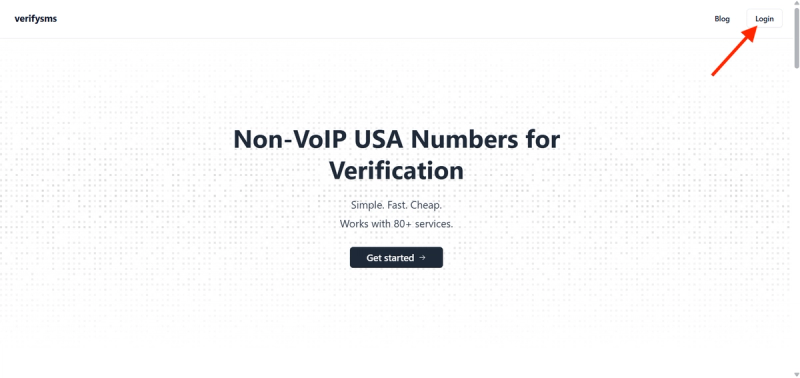
Open your browser and go to https://verifysms.io/. Click the “Get Started” button. The registration form is quick and simple, enter a valid email address and choose a strong password. There are no lengthy forms or unnecessary personal details required. After confirming your email, you will land on a clean, user-friendly dashboard.
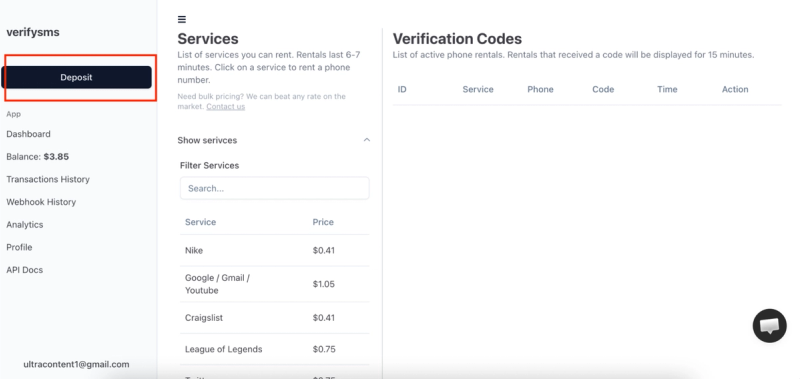
Next, add funds to your balance. Click the “Add Funds” or “Deposit” button. You can start with as little as $10 using major credit/debit cards, cryptocurrency, or popular e-wallets. The money appears instantly with no hidden fees. This small deposit gives you enough credit for 25 Ashley Madison accounts at $0.4 each, making it perfect for users who need multiple profiles.
Step 2: Buy a Temporary USA Phone Number for Ashley Madison
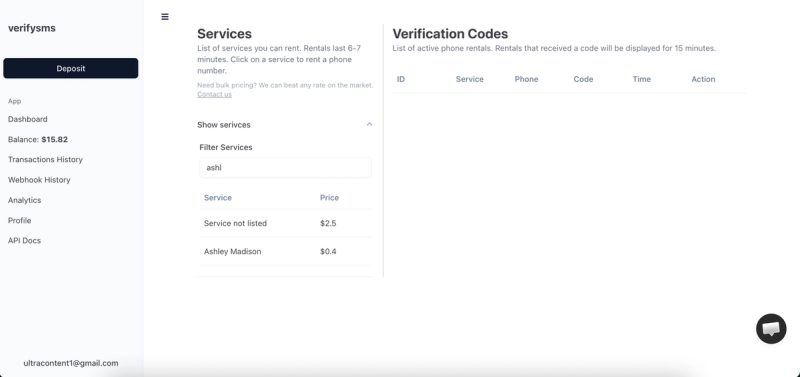
From the dashboard, click “Buy Number” or go to the “Services” section. Search for “Ashley Madison” in the list. The exact price, $0.4 per number, is clearly displayed. Since VerifySMS only provides specifically USA-based phone numbers, you will receive a fresh +1 virtual number optimized for verification.
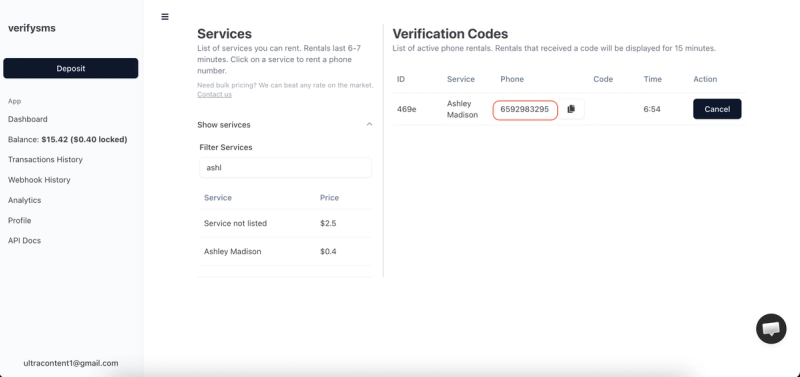
The number appears on your screen within seconds. Copy it immediately because you will need it right away. This virtual number is designed only for receiving incoming SMS codes, ensuring your privacy remains protected. If you plan to create several accounts, buy multiple numbers one after another. All purchased numbers are saved in your dashboard history for easy management.
Step 3: Start Creating Your Ashley Madison Account
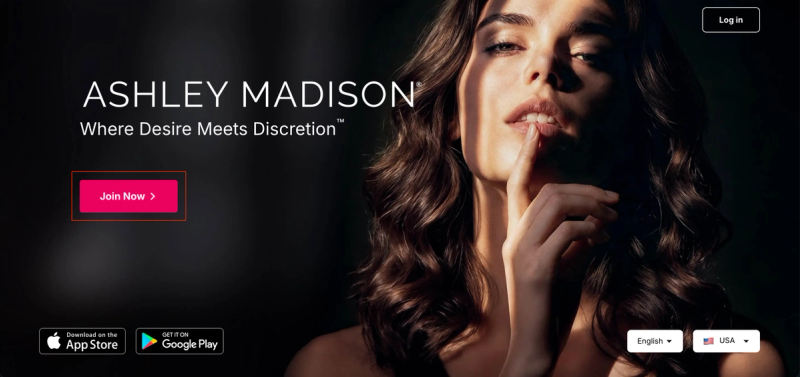
Go to the official Ashley Madison website or open the app. Click “Join Free” or “Create Account.” The sign-up process begins with basic information. Use a strong, unique email address (highly recommended for privacy). Choose a username (handle) and create a strong password.
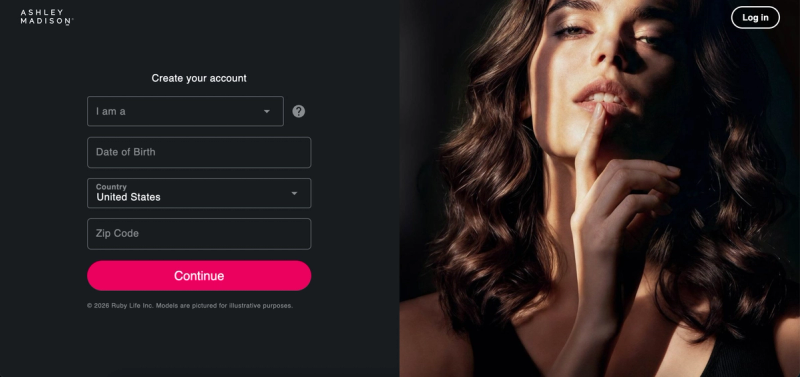
Fill in your gender, date of birth, and location preferences. Proceed through the profile creation steps, including any initial questions about what you’re seeking.
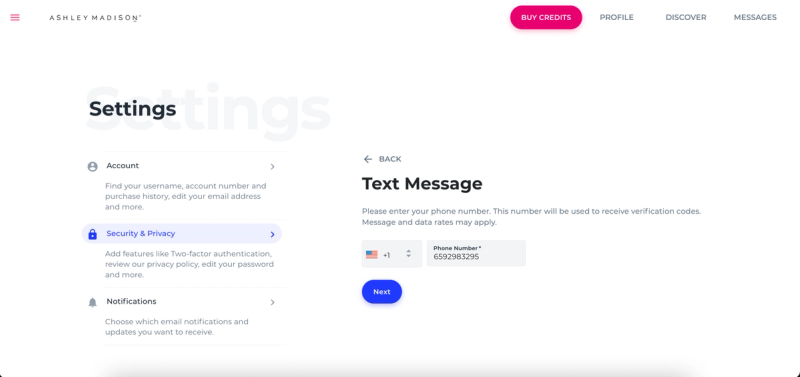
When Ashley Madison prompts you for phone number verification (typically for two-step authentication during or after initial setup), paste the temporary USA-based number you bought from VerifySMS. Make sure to include the correct country code (+1). The platform will send a six-digit verification code to that number almost immediately. Switch back to your VerifySMS dashboard while keeping the Ashley Madison page open.
Step 4: Paste the Code and Complete Your Profile
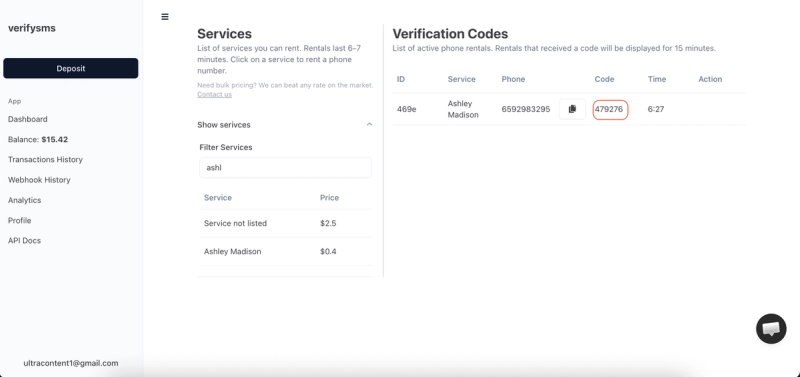
Refresh the VerifySMS page if needed. The six-digit code will appear in the same window where you bought the number. You have only 7 minutes to use it, so proceed promptly but calmly. Copy the code exactly as it appears.
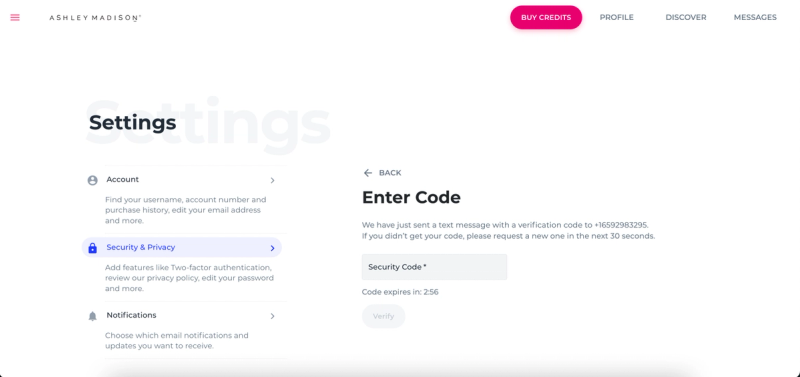
Return to Ashley Madison and enter the six-digit code in the verification field. The platform confirms it in seconds and continues the setup. Now you can complete your profile:
- Upload profile photos (discretion is key — many users blur faces or use creative angles).
- Write a compelling, honest bio that reflects what you’re looking for.
- Answer prompts and questions to improve matching.
Review and accept the terms of service. Once you finish the setup, your new Ashley Madison account is fully active. You can now browse, message, and connect discreetly without ever using your real phone number.
Step 5: Quick Tips to Keep Everything Smooth
After sign-up, review your privacy and security settings. Ashley Madison offers tools to control visibility and block unwanted attention. If you ever face issues, simply buy another $0.4 number from VerifySMS and repeat the process. The site keeps a complete history of all your numbers, making multi-account management effortless.
Most users top up $10 once and create several accounts over time. The $0.4 price stays the same whether it’s your first or twentieth Ashley Madison account. Always keep the VerifySMS tab open during sign-up to avoid missing the 7-minute code window. For best results, use a real device and a private browsing session.
Why This Method Works Better Than Free Options
Free temporary number websites often fail on Ashley Madison because the platform has strong detection systems. Recycled numbers are quickly blocked, codes may not arrive, or accounts get limited. VerifySMS uses premium, fresh USA-based numbers that consistently succeed. The low cost, instant delivery, and reliable 7-minute code window make it the most effective solution for privacy-conscious users.
Additional Benefits of Using VerifySMS for Ashley Madison
This approach offers excellent flexibility. You can create separate accounts for different preferences or maintain anonymity across interactions. The process is secure, affordable, and fully aligned with the platform’s discreet nature. International users benefit from trusted USA numbers that Ashley Madison readily accepts.
Common Challenges and How to Solve Them
If the verification code doesn’t appear within seconds, refresh the VerifySMS dashboard or double-check the number with +1. In rare cases where Ashley Madison flags a number, simply purchase a new one for $0.4, it takes seconds. Maintain a stable internet connection during sign-up to prevent timing issues within the short 7-minute window.
Conclusion - The Bottom Line!
Setting up an Ashley Madison account without a phone number is fast, secure, and straightforward when you use a dependable service like VerifySMS. In under ten minutes, you can have a new profile ready for discreet connections while keeping your personal phone number completely private.
Whether you need one account for personal use or multiple profiles for different purposes, the process is repeatable and highly cost-effective. A single $10 deposit opens the door to dozens of private Ashley Madison accounts, each powered by genuine USA-based numbers that work reliably every time.
Don’t let phone verification compromise the discretion Ashley Madison is known for. Head over to VerifySMS, create your account, add your small deposit, and open your first Ashley Madison profile today. No real phone number. No hassle. Full control over your privacy.