Instagram continues to be one of the most popular social media platforms for sharing photos, videos, Reels, and building personal or business brands. However, during sign-up, Instagram requires phone number verification for most users. Sharing your real phone number can compromise your privacy, lead to unwanted spam, or link your identity across multiple accounts. Whether you need a second profile for business, content testing, anonymity, or after a ban, you can easily create an Instagram account without using your personal digits.
The easiest and most reliable way is through VerifySMS. You create an account, top up with as little as $10, and buy temporary virtual numbers specifically for Instagram. Each Instagram account here costs just $0.53, and the verification code stays available for 7 minutes. This is more than enough time to complete the entire sign-up process. Below is a complete step-by-step guide so you can open your new Instagram account today without any stress and without touching your real phone number.
Why You Should Create an Instagram Account Without Your Real Phone Number
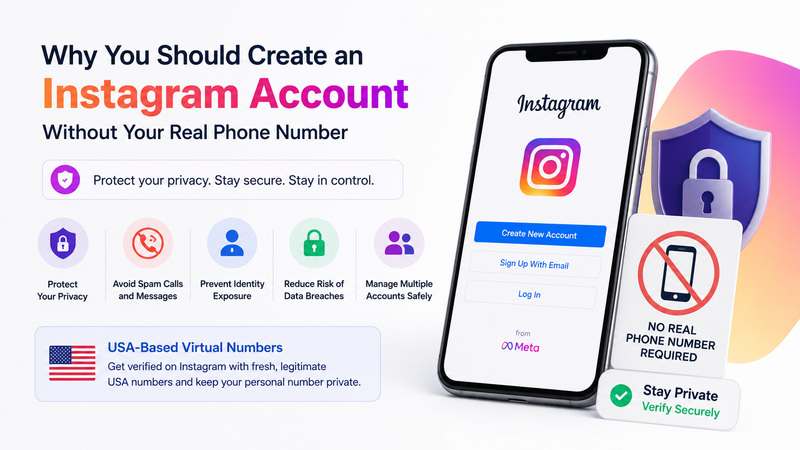
Instagram (owned by Meta) uses phone numbers for verification, account recovery, and security. Once shared, your number becomes permanently linked to your profile and activity. This increases risks of data breaches, targeted advertising, spam calls, and potential harassment. For users managing multiple accounts, such as personal, brand, niche content, or testing profiles, using the same real number often triggers restrictions or bans.
Temporary USA-based virtual numbers solve this perfectly. They allow full access while keeping your personal line completely private. VerifySMS provides fresh, specifically USA-based phone numbers that have high success rates on Instagram because they appear legitimate to the platform’s systems.
Step-By-Step Guide To Create an Instagram Account Without a Phone Number
Step 1: Create Your Account on VerifySMS
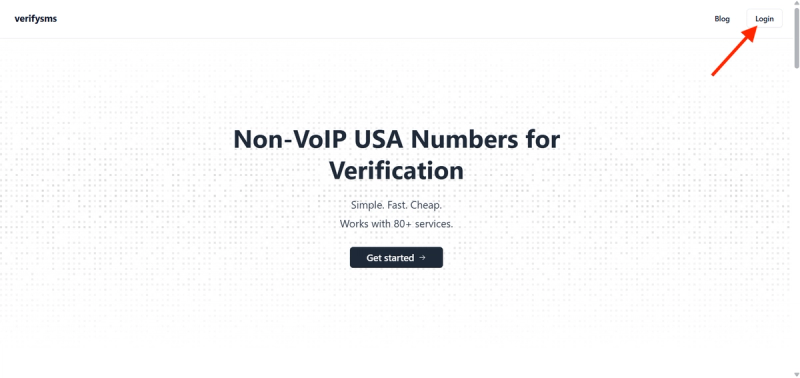
Open your browser and visit https://verifysms.io/. Click the “Get Started” button. The registration form is quick and simple, just enter a valid email address and choose a strong password. No long questionnaires or extra personal details are needed. Once you confirm your email, you will land directly on a clean, easy-to-use dashboard.
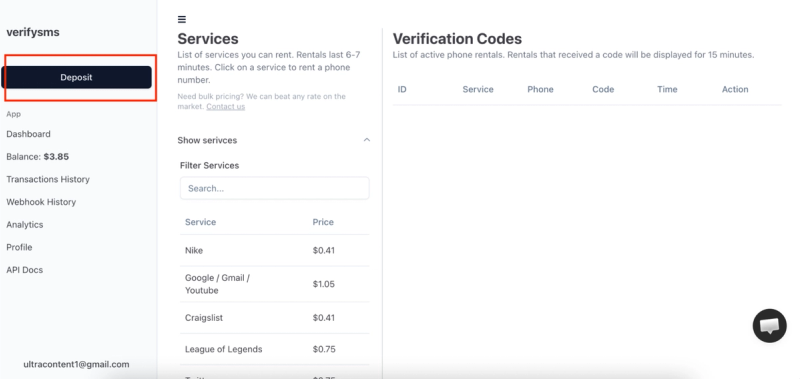
Now add funds to your balance. Click the “Add Funds” or “Deposit” button. You can start with as little as $10 using major credit/debit cards, cryptocurrency, or popular e-wallets. The money appears instantly with no hidden fees. This small deposit gives you enough credit for more than 18 Instagram accounts at $0.53 each, making it perfect for users who need multiple profiles.
Step 2: Buy a Temporary USA Phone Number for Instagram
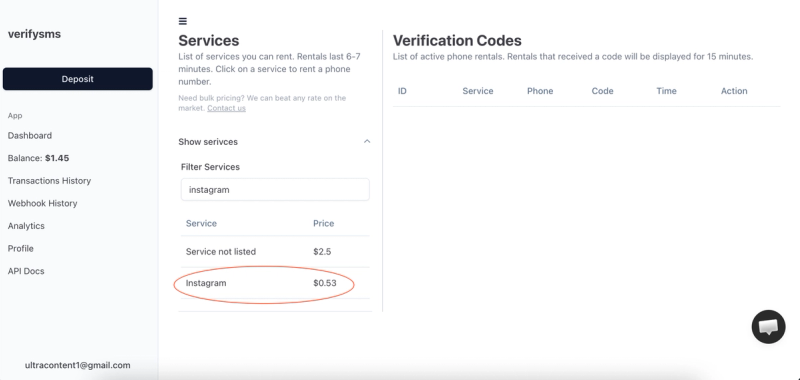
From the dashboard, click “Buy Number” or go to the “Services” section. Search for “Instagram” in the available services. The exact price is $0.53 per number and is clearly shown. Since VerifySMS only provides specifically USA-based phone numbers, you will receive a fresh +1 virtual number optimized for Instagram verification.
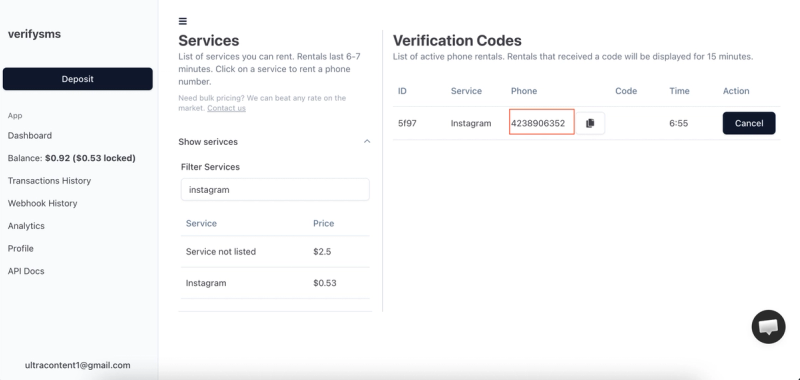
The number appears on your screen within seconds. Copy it immediately because you will need it right away. This virtual number is designed only for receiving incoming SMS verifications, ensuring your real contact information stays protected. If you plan to create several Instagram accounts, simply buy more numbers one after another. All purchased numbers are saved in your dashboard history for convenient management.
Step 3: Start Creating Your Instagram Account
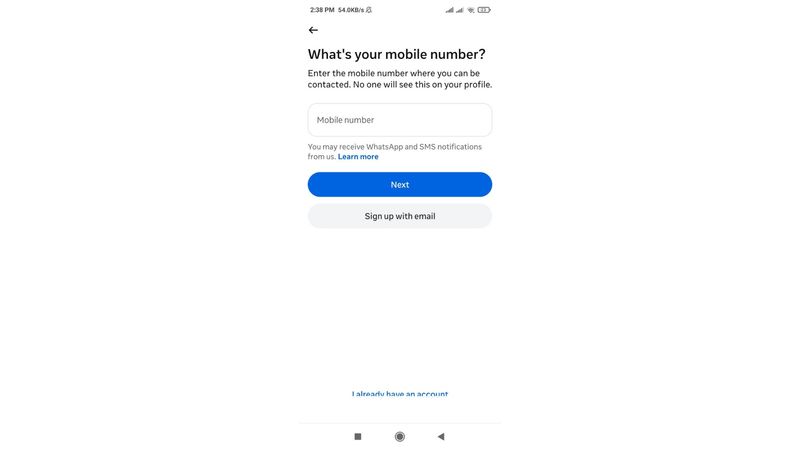
Download or open the Instagram app on your phone (available for Android and iOS) or use the web version at instagram.com. Tap “Create New Account” or “Sign Up.” You can sign up using email or phone number. Choose the phone number option.
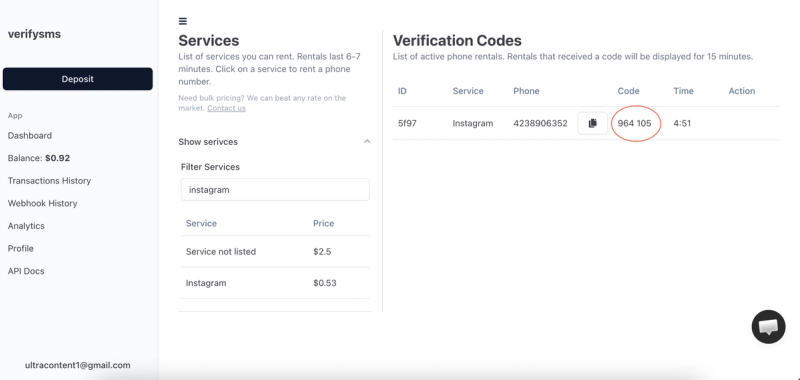
When prompted to add a phone number, paste the temporary USA-based number you just bought from VerifySMS. Make sure to include the correct country code (+1). Instagram will send a six-digit verification code to that number almost immediately. Switch back to your VerifySMS dashboard while keeping the Instagram app open.
Step 4: Paste the Code and Complete Your Profile
Refresh the VerifySMS page if needed. The six-digit code will show up in the same window where you bought the number. You have only 7 minutes to use it, so proceed promptly but calmly. Copy the code exactly as it appears.
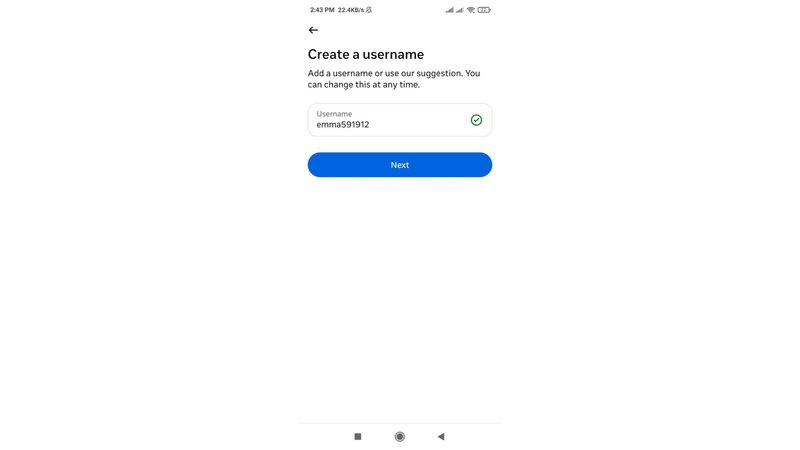
Go back to Instagram and enter the six-digit code. The app confirms it in seconds and takes you to the next screen. At this point, you can add an email address (recommended for easier account recovery, use a fresh Gmail or similar).
After the email step, Instagram asks for your basic personal info. Choose a unique username, enter your full name, and set a strong password. You can upload a profile picture and write a short bio now or skip and add them later. Instagram may also ask for your date of birth and other details, fill them accurately. You can skip optional steps like discovering friends or syncing contacts. Once you hit “Next” or complete the setup, your new Instagram account goes live. Congratulations — you now have a fully working Instagram account that never used your real phone number.
Step 5: Quick Tips to Keep Everything Smooth
After sign-up, go to your account settings and strengthen privacy options. Control who can see your posts, stories, and send you messages. If you ever get banned again, simply buy another $0.53 number from VerifySMS and repeat the process. The site keeps a complete history of all your numbers, making multiple account management effortless.
Most users top up $10 once and create several accounts over time. The $0.53 price remains the same whether it’s your first or tenth Instagram account. Always keep the VerifySMS tab open during sign-up to avoid missing the 7-minute code window. For best results, use the official app on a real device and avoid creating too many accounts from the same IP in a short time.
Why This Method Works Better Than Free Options
Free temporary number websites often fail on Instagram because the platform has advanced detection systems that block recycled or suspicious numbers. Codes may not arrive, or accounts get flagged and suspended quickly. VerifySMS uses premium, fresh USA-based numbers that consistently succeed. The low cost, instant delivery, and reliable 7-minute code window make it the most effective solution for privacy-conscious users.
Additional Benefits of Using VerifySMS for Instagram
This approach gives you excellent flexibility. Creators can run separate accounts for different niches, businesses can manage client or brand pages privately, and individuals can maintain personal and anonymous profiles without mixing data. International users especially benefit from trusted USA numbers that Instagram readily accepts. The entire process is fast, secure, affordable, and puts you in complete control of your digital presence.
Final Thoughts!
Setting up an Instagram account without a phone number is quick, secure, and straightforward when you use a dependable service like VerifySMS. In under ten minutes, you can have a new profile ready for posting Reels, Stories, and photos while keeping your personal phone number completely private.
Whether you need one account for casual use or multiple profiles for professional purposes, the process is repeatable and cost-effective. A single $10 deposit opens the door to dozens of private Instagram accounts, each powered by genuine USA-based numbers that work reliably every time.
Don’t let phone verification limit your creativity and freedom on Instagram. Head over to VerifySMS, create your account, add your small deposit, and open your first Instagram profile today. No real phone number. No hassle. Full control over your privacy and online presence.